A poll instead of a chain of messages
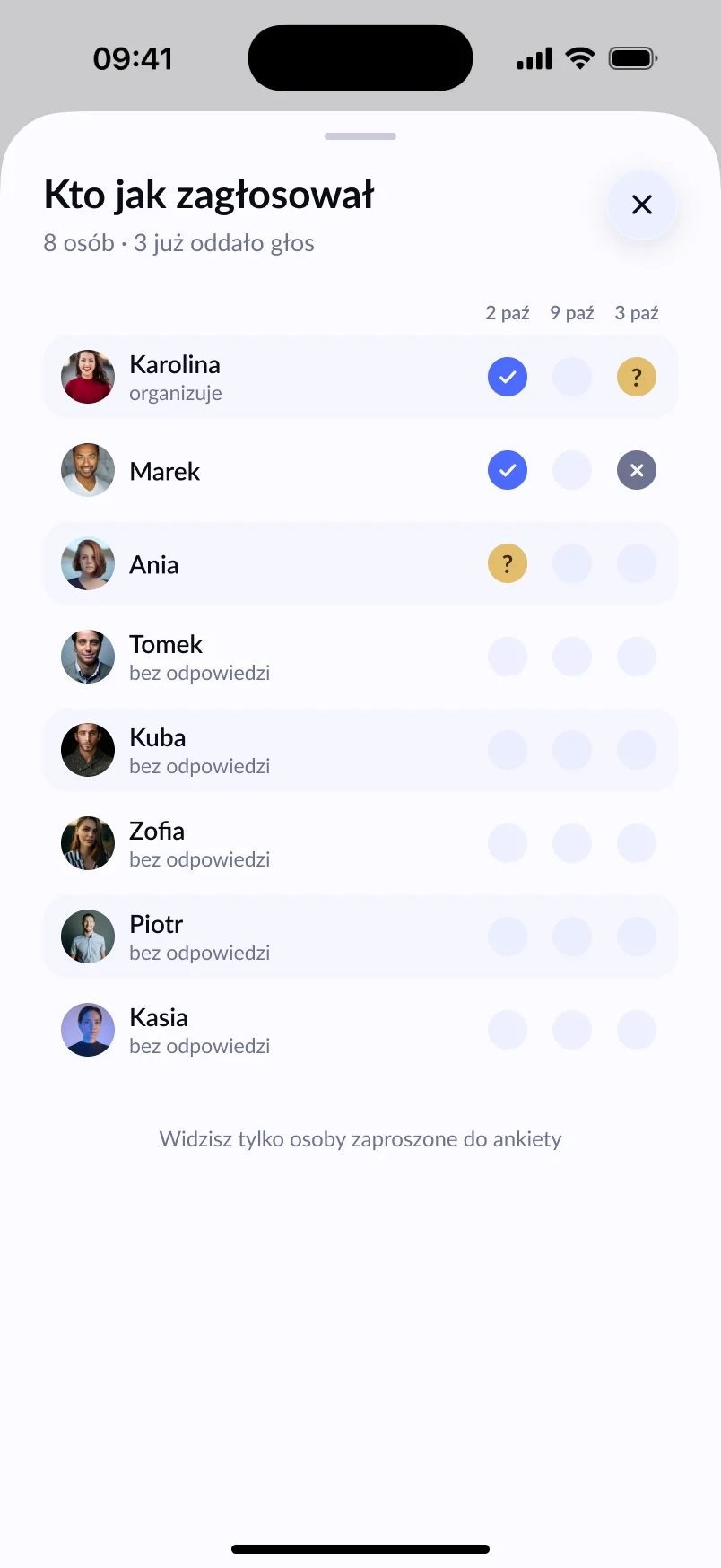
Start with a date poll. You drop the link in the old class group, on Facebook or in an email. Anyone can vote without creating an account — all they need is the Lutra app. You see how many people have voted and which date is in the lead.
Voting can run for up to 30 days, and Lutra reminds people with an account who haven’t voted yet.
An event with a clear list
Once the date is set, you create an event and invite the participants. Everyone answers Going, Maybe or Not going. If you’re booking a room or a table, set a spot limit and a minimum number of people — 2 hours before the start, Lutra lets you know if too few have signed up.
One event holds up to 30 people including the organiser. For a bigger year group, you can create separate events for each class and set the date with a shared poll.
A co-organiser from the other class
Organising the reunion with someone else? Add a co-organiser. They can edit the event, invite, send reminders and keep an eye on the list together with you.
Stay in touch
After the reunion, create a crew — a permanent group in Lutra you invite your friends to. Next time you won’t have to track everyone down again. A crew holds up to 30 people, and its founder can create a link people use to join straight away.
Photos — then and now
The event’s shared album collects photos from the evening, and the chat lets you post old pictures from school trips before you even meet.
Frequently asked questions
Does everyone need a Lutra account?
Not to vote in a poll — the app is enough. Replying to an event invitation and using the chat requires an account.
How many people fit in one event?
Up to 30 people, including the organiser.
How old do you have to be to use Lutra?
Lutra is for adults (18 and over).